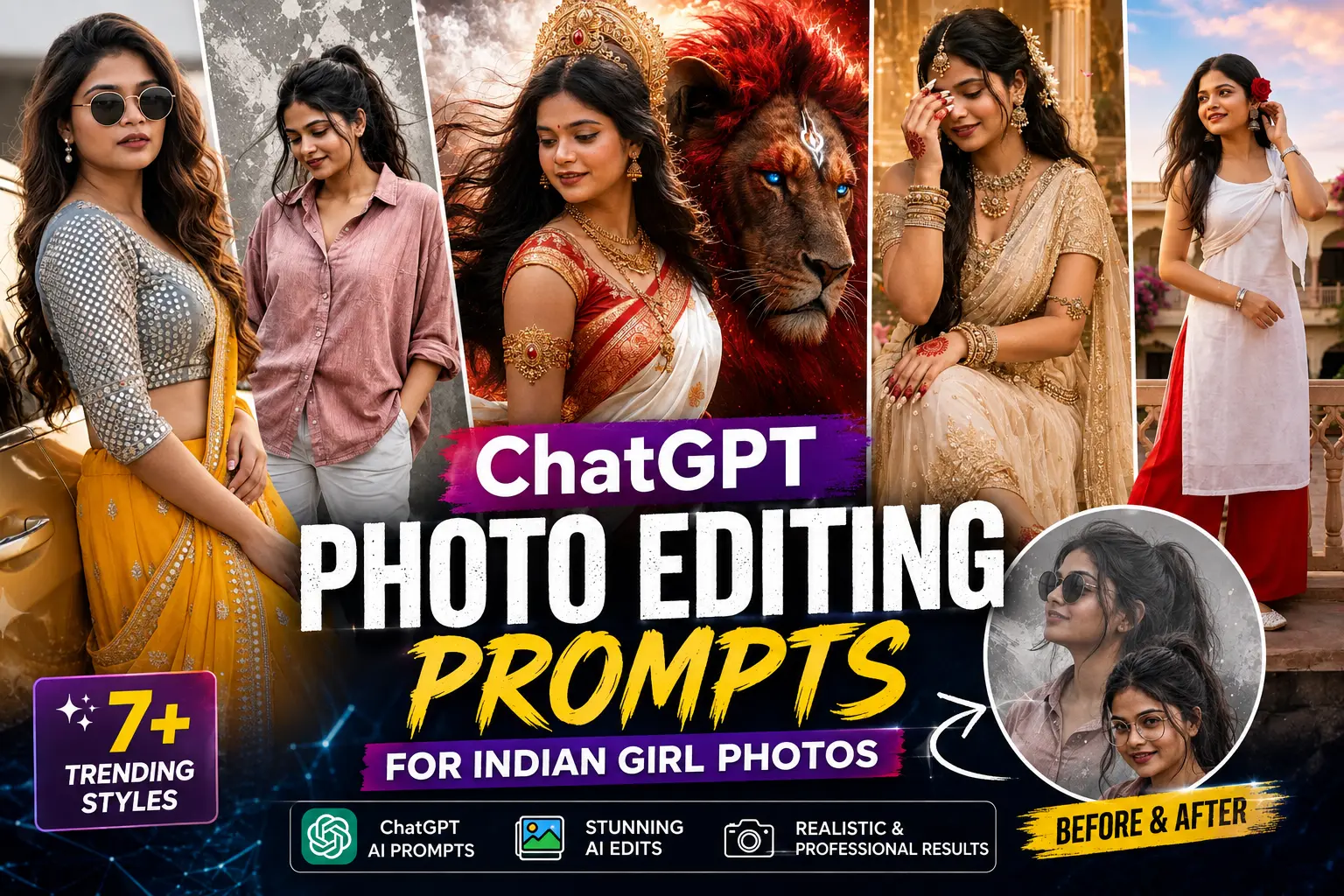
AI photo editing has completely changed the way people enhance their pictures. Earlier, creating professional-looking portraits required expensive editing software and advanced Photoshop skills. But now, with the help of AI tools and ChatGPT photo editing prompts, anyone can transform ordinary photos into stunning cinematic portraits within minutes.
In this article, we will share the best ChatGPT photo editing prompts for Indian girl photos that can help you create realistic fashion portraits, traditional Indian looks, royal saree styles, cinematic backgrounds, and professional DSLR-quality images.
These AI prompts are specially designed for users who want realistic results while maintaining the original face identity, natural skin texture, and authentic appearance.
What Are ChatGPT Photo Editing Prompts?
ChatGPT photo editing prompts are detailed instructions given to AI tools to understand how you want your image to be transformed.
A good AI photo editing prompt describes:
- Outfit style
- Background
- Lighting
- Camera quality
- Mood and atmosphere
- Color grading
- Image quality
- Face preservation instructions
The more detailed your prompt is, the more realistic and professional your final image will look.
How To Edit Photos Using ChatGPT AI Prompts
Follow these simple steps to create amazing AI edited photos:
Step 1: Upload Your Photo
Upload a clear and high-quality image to an AI image editing tool that supports photo editing.
Step 2: Add Your Editing Prompt
Copy any prompt from this article and paste it with your uploaded image.
Step 3: Generate Your AI Image
The AI will analyze your image and apply the requested style while keeping important details.
Step 4: Improve The Result
If you want better results, add extra instructions like:
- Keep my face unchanged
- Maintain realistic skin texture
- Make it look like a DSLR photo
- Avoid artificial effects
Best ChatGPT Photo Editing Prompts For Indian Girl Photos
1. Royal Golden Saree Photo Editing Prompt
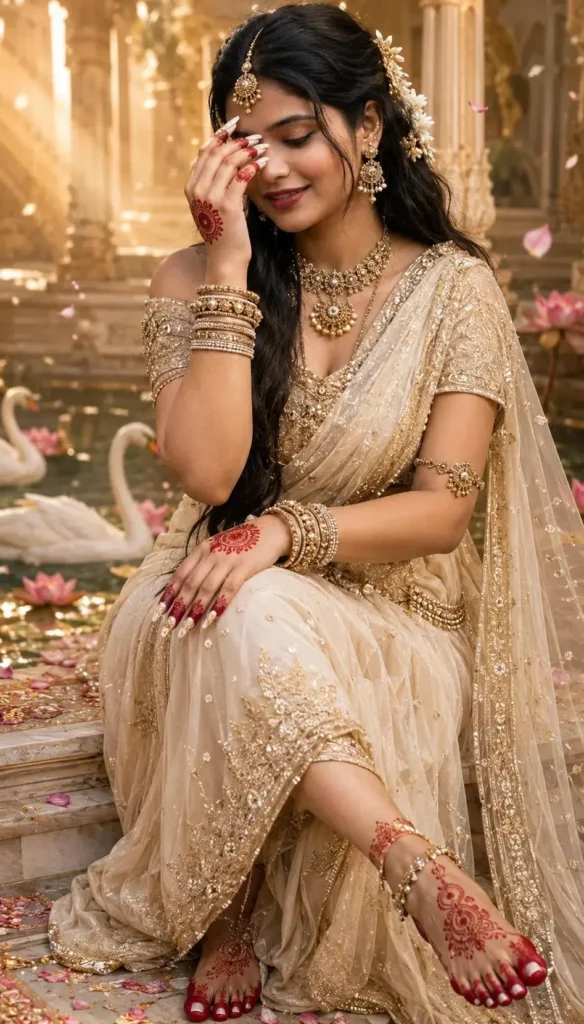
Create a luxurious royal Indian fashion portrait using this photo. Keep the same face identity and natural facial features. Transform the outfit into an elegant golden saree with traditional jewelry, beautiful hairstyle, royal palace background, warm cinematic lighting, realistic skin texture, professional DSLR photography style, ultra realistic details, 8K quality.
2. Traditional Indian Bridal Look AI Prompt
Transform this image into a beautiful Indian bridal portrait. Keep the original face unchanged. Add a traditional bridal saree, heavy gold jewelry, elegant makeup, bridal hairstyle, soft golden lights, luxury wedding background, realistic photography style, natural skin details, cinematic wedding photoshoot look.
3. Cinematic Instagram Fashion Portrait Prompt
Convert this photo into a premium Instagram fashion portrait. Maintain the original face and body proportions. Add cinematic lighting, luxury outdoor location, soft sunlight, professional camera depth of field, stylish outfit, high-end fashion photography style, realistic colors, ultra detailed DSLR quality.
4. AI Goddess Inspired Royal Portrait Prompt
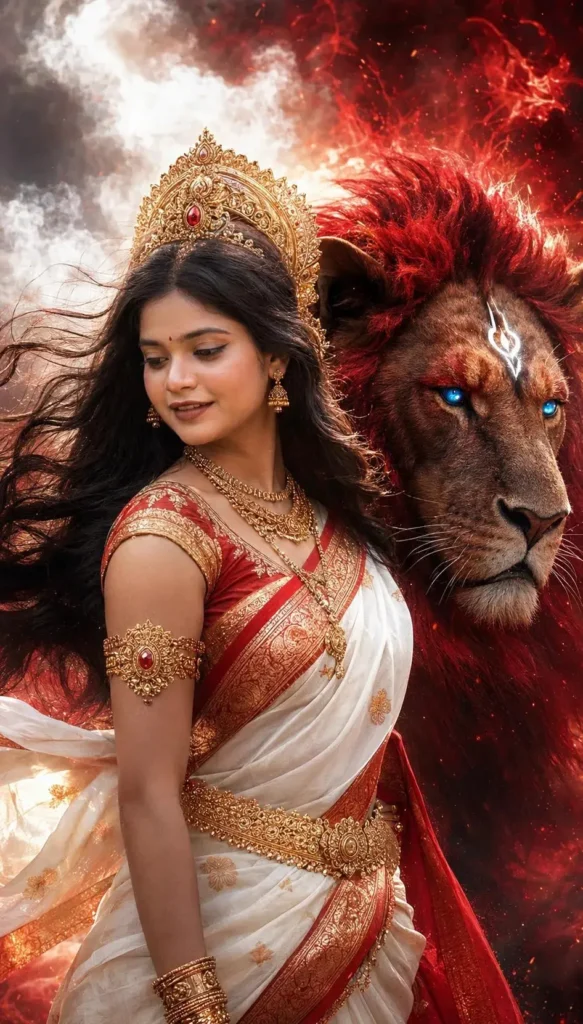
Create a divine Indian goddess-inspired portrait from this image. Keep the person's face realistic and unchanged. Add royal traditional clothing, golden crown, elegant jewelry, glowing cinematic background, dramatic lighting effects, fantasy atmosphere, realistic photography, highly detailed 8K portrait.
5. Modern Casual Girl Portrait Prompt
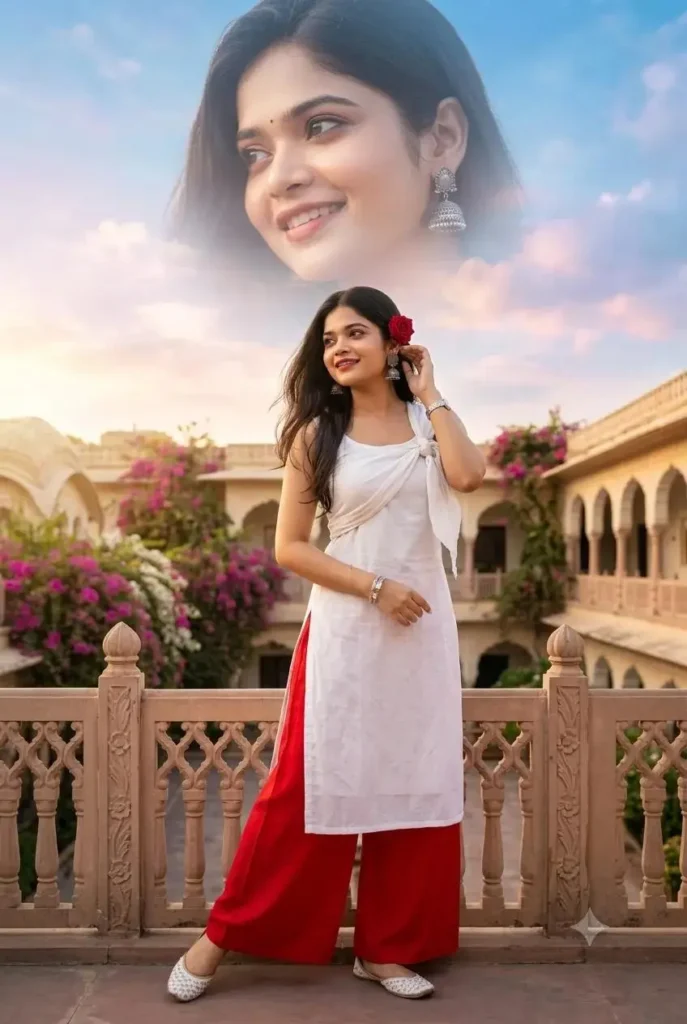
Transform this image into a modern lifestyle portrait. Keep the original face identity. Add a stylish casual outfit, beautiful outdoor background, natural sunlight, soft shadows, realistic skin tone, professional portrait photography, Instagram influencer style, DSLR camera quality.
6. Luxury Car Fashion Photoshoot Prompt
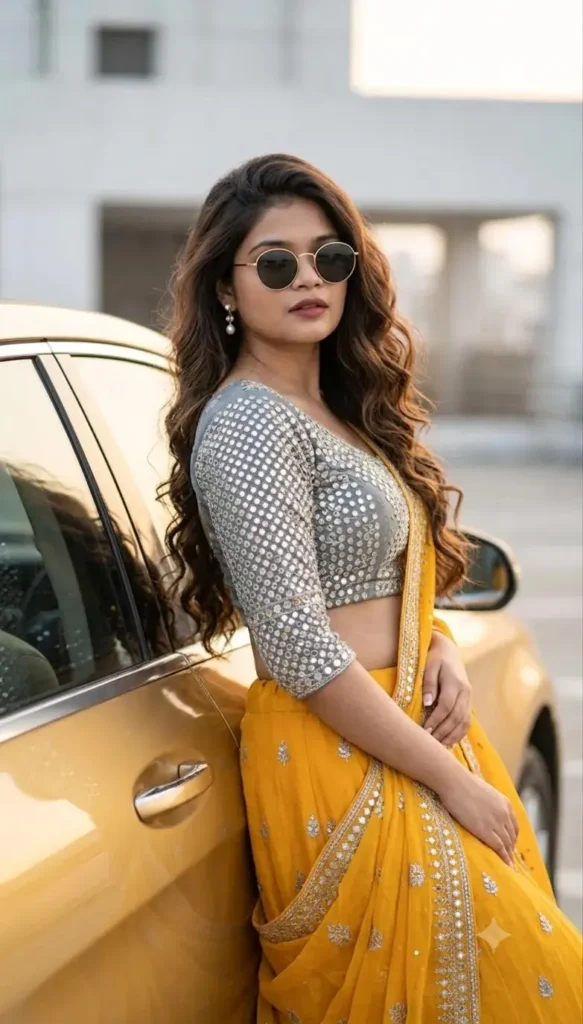
Create a luxury fashion photoshoot using this image. Keep the same face and hairstyle. Place the person beside a premium car with a modern city background. Add cinematic lighting, realistic reflections, stylish fashion look, shallow depth of field, professional magazine photography style, ultra realistic 8K image.
7. Creative Double Exposure Photo Editing Prompt
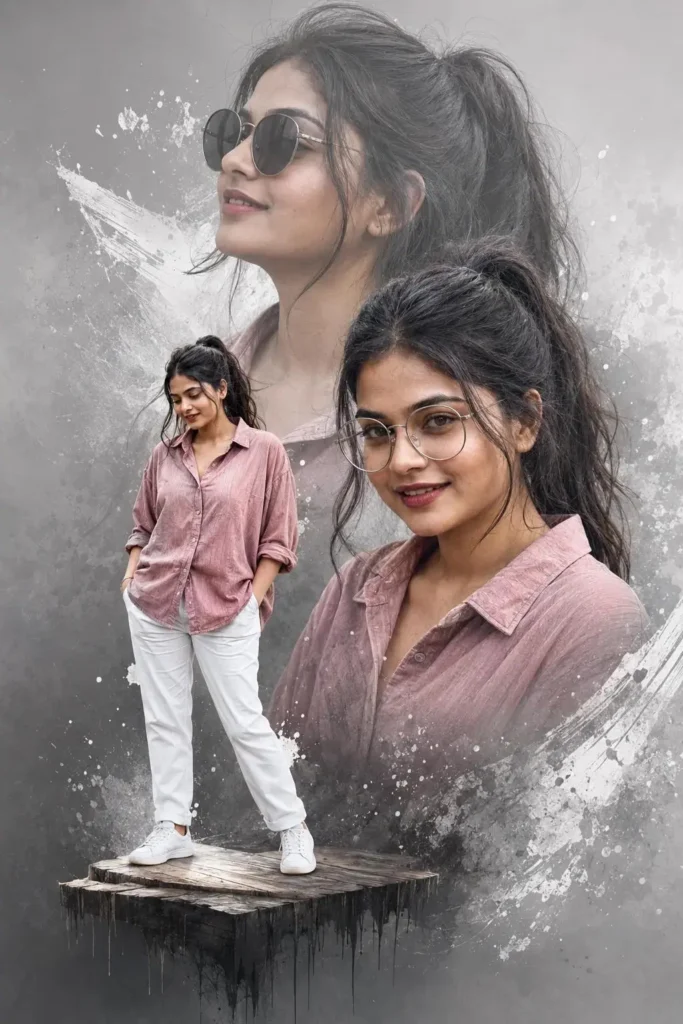
Create a creative double exposure portrait using this photo. Keep the original face realistic. Add artistic layered effects, cinematic background, soft textures, modern digital artwork style, professional photography composition, realistic details and high-quality finish.
Negative Prompt For Realistic AI Photo Editing
Use this negative prompt with your AI image editing:
Do not change the face, no extra fingers, no distorted body, no unrealistic skin, no blurry image, no artificial beauty filter, no cartoon effect, no fake facial features, no bad anatomy, maintain natural appearance.
Tips To Get Better AI Photo Editing Results
Use High Quality Images
Always upload clear photos with good lighting. AI tools provide better results when the original image quality is high.
Describe Your Desired Style Clearly
Instead of writing:
“Make my photo beautiful”
Write:
“Create a cinematic luxury portrait with professional DSLR lighting and realistic skin texture.”
Detailed instructions create better results.
Keep Face Preservation Instructions
Always add:
“Keep the original face identity unchanged.”
This helps AI maintain realistic facial features.
Experiment With Different Styles
Try different themes:
- Royal Indian
- Cinematic
- Vintage
- Luxury fashion
- Wedding
- Fantasy
- Professional portrait
AI Image Prompts For Blog Images
Featured Image Prompt:
Create a modern AI photo editing blog thumbnail showing a beautiful Indian fashion portrait transformation. Include before and after photo editing concept, AI technology elements, glowing blue futuristic background, professional digital art style, realistic photography, high-quality website banner design.
Blog Illustration Prompt:
A creative workspace showing AI photo editing technology, laptop screen with portrait enhancement, futuristic interface, professional designer environment, modern blue gradient theme, realistic 3D style.
Frequently Asked Questions (FAQ)
1. What is the best ChatGPT photo editing prompt?
The best prompt is one that clearly describes the desired outfit, background, lighting, camera style, and keeps the original face unchanged.
2. Can ChatGPT edit photos directly?
ChatGPT can help create detailed photo editing prompts, and AI image tools can use these prompts to transform images.
3. How can I make AI photos look realistic?
Use high-quality images, detailed prompts, realistic lighting instructions, and always mention natural skin texture and face preservation.
4. Which AI tool is best for photo editing prompts?
Different AI image tools provide different results. The quality mainly depends on the prompt details and uploaded image quality.
5. Can AI change clothes and background in photos?
Yes, AI photo editing tools can modify outfits, backgrounds, lighting, and overall style while maintaining the original image appearance.
Conclusion
AI photo editing has made professional-quality photography accessible to everyone. With the right ChatGPT photo editing prompts, you can transform simple pictures into stunning portraits, traditional Indian looks, cinematic photos, and creative AI artworks.
The key to getting realistic results is using detailed prompts, maintaining natural facial features, and choosing the right editing style. Try these prompts and create your own unique AI-generated photo transformations.